

Work is organised in three levels: workspace › project › case. A workspace groups a job or a team, a project is one site or study, and a case is one set of analysis conditions inside it.
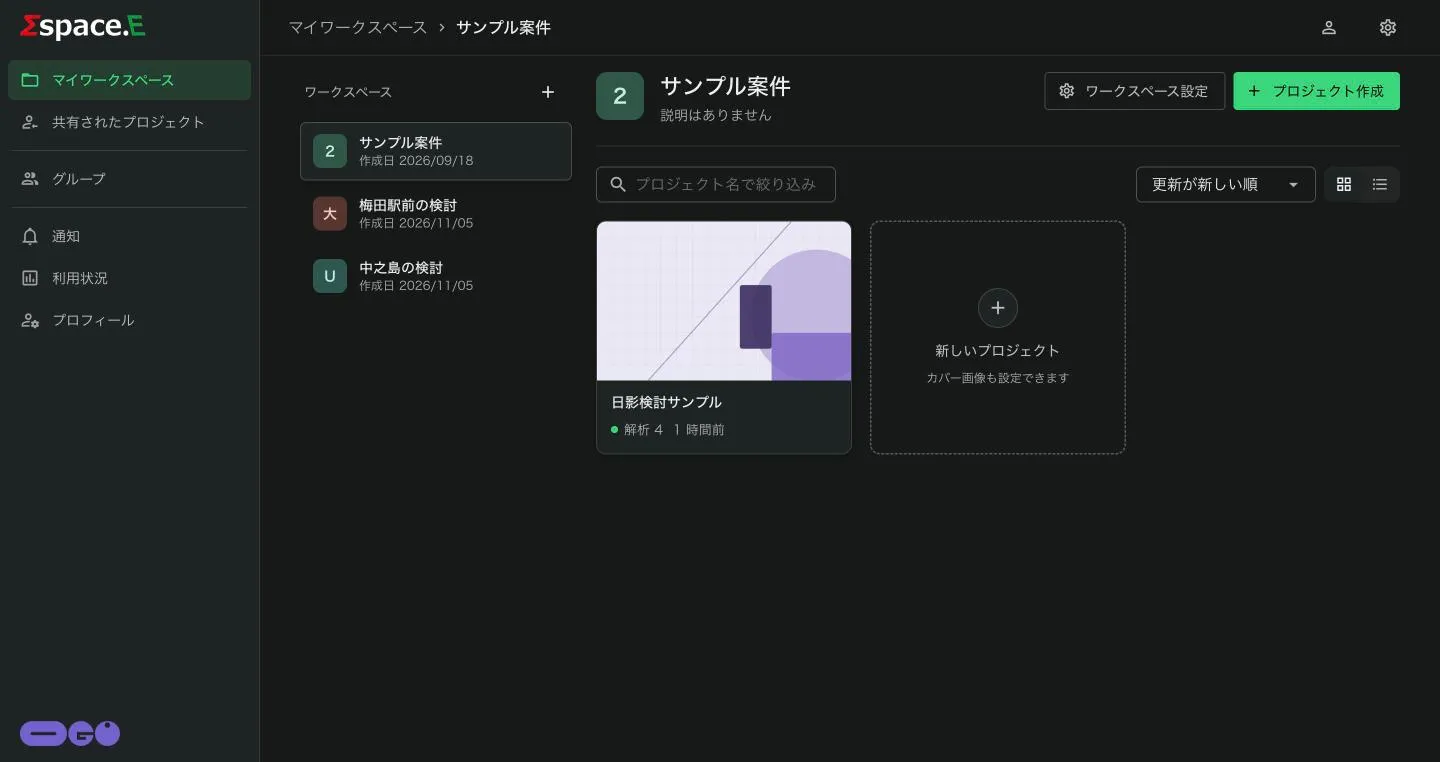
Create a workspace
Press + next to the list heading and enter a name and description. Change them later from ワークスペース設定 (Workspace settings).
Create a project
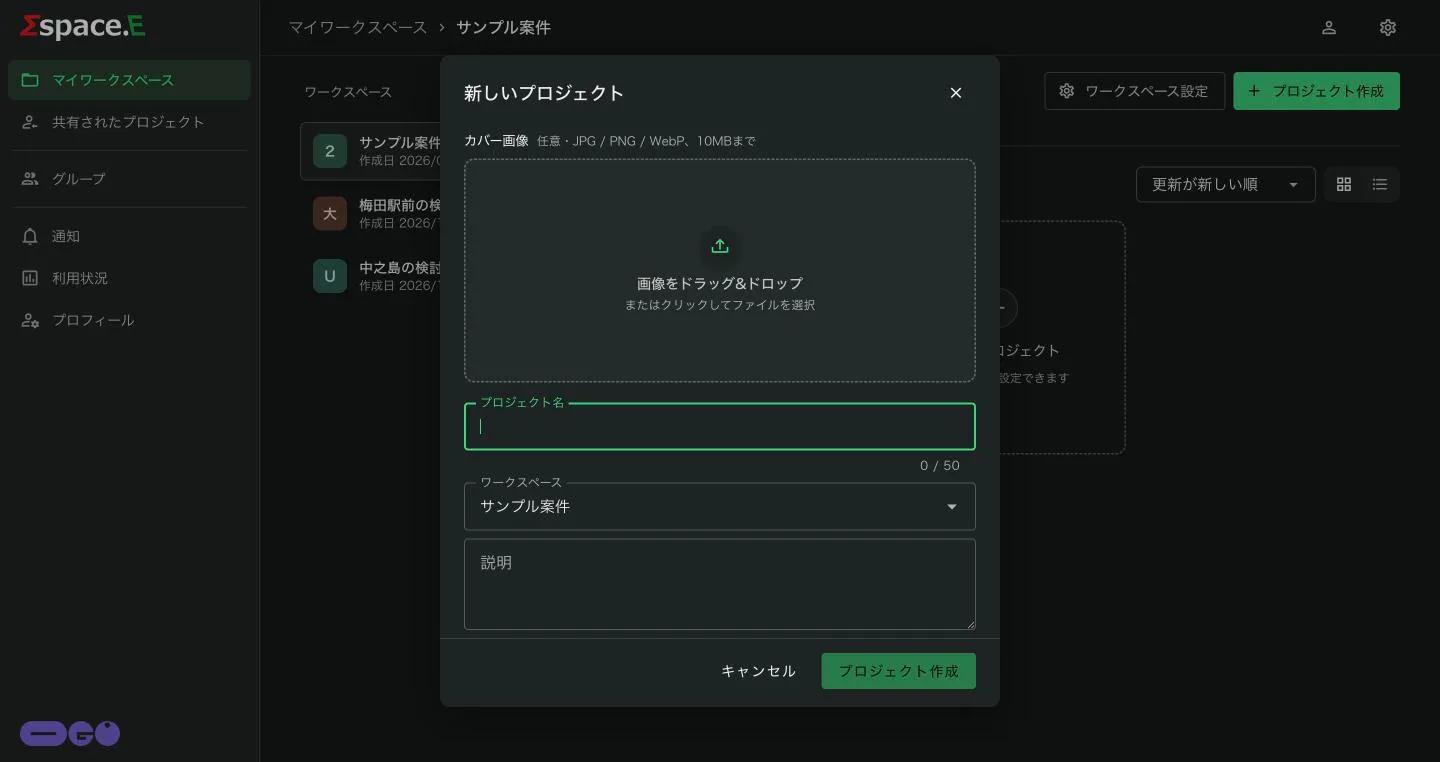
- Press プロジェクト作成 (Create project) at the top right, or the 新しいプロジェクト tile.
- Optionally drop in a cover image (JPG / PNG / WebP, up to 10 MB).
- Enter a project name (up to 50 characters), choose the workspace, and add a description if you like.
- Press プロジェクト作成.
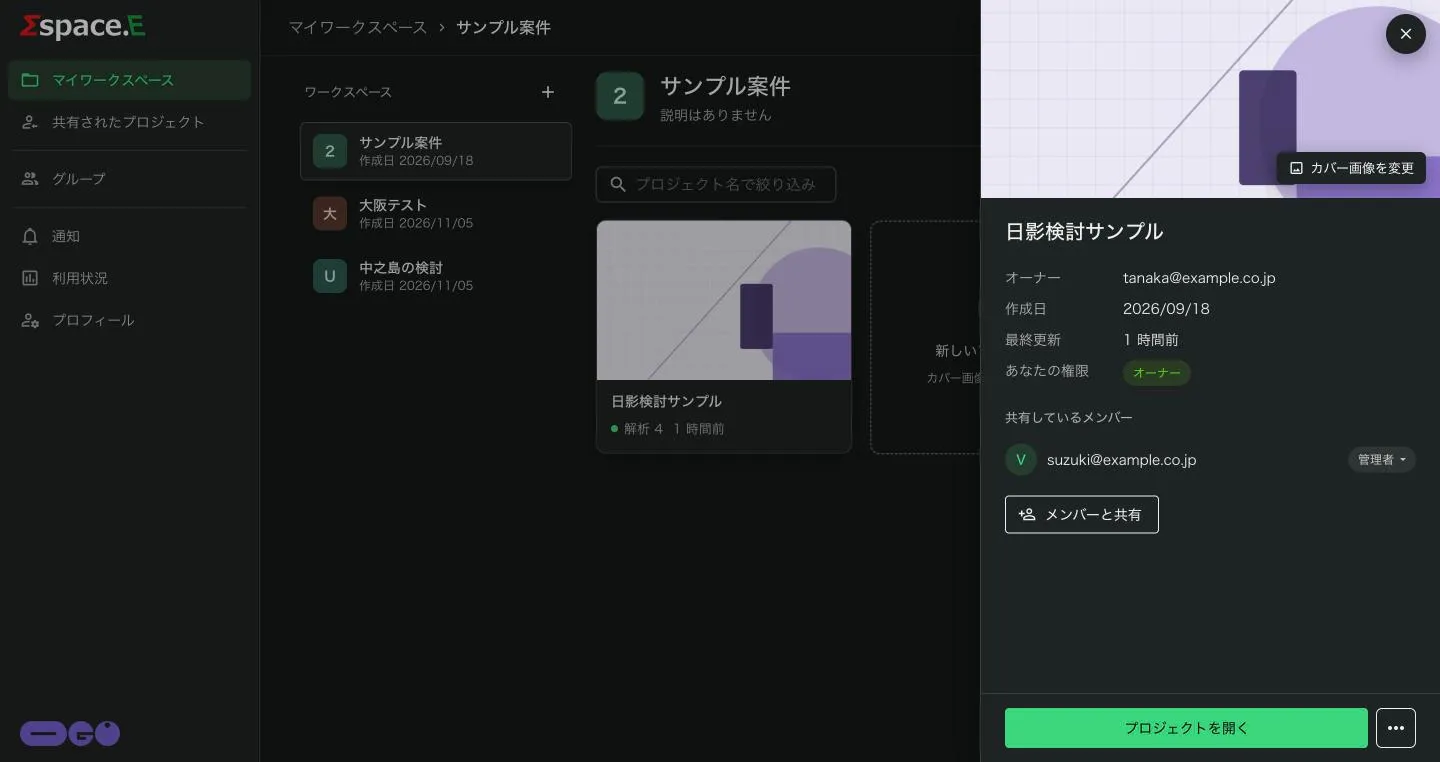
The details panel lists the owner, creation date, last update, your role and the members it is shared with. From here you can カバー画像を変更 (change cover), メンバーと共有 (share with members), and find more actions under ⋯. プロジェクトを開く (Open project) enters the viewer.