
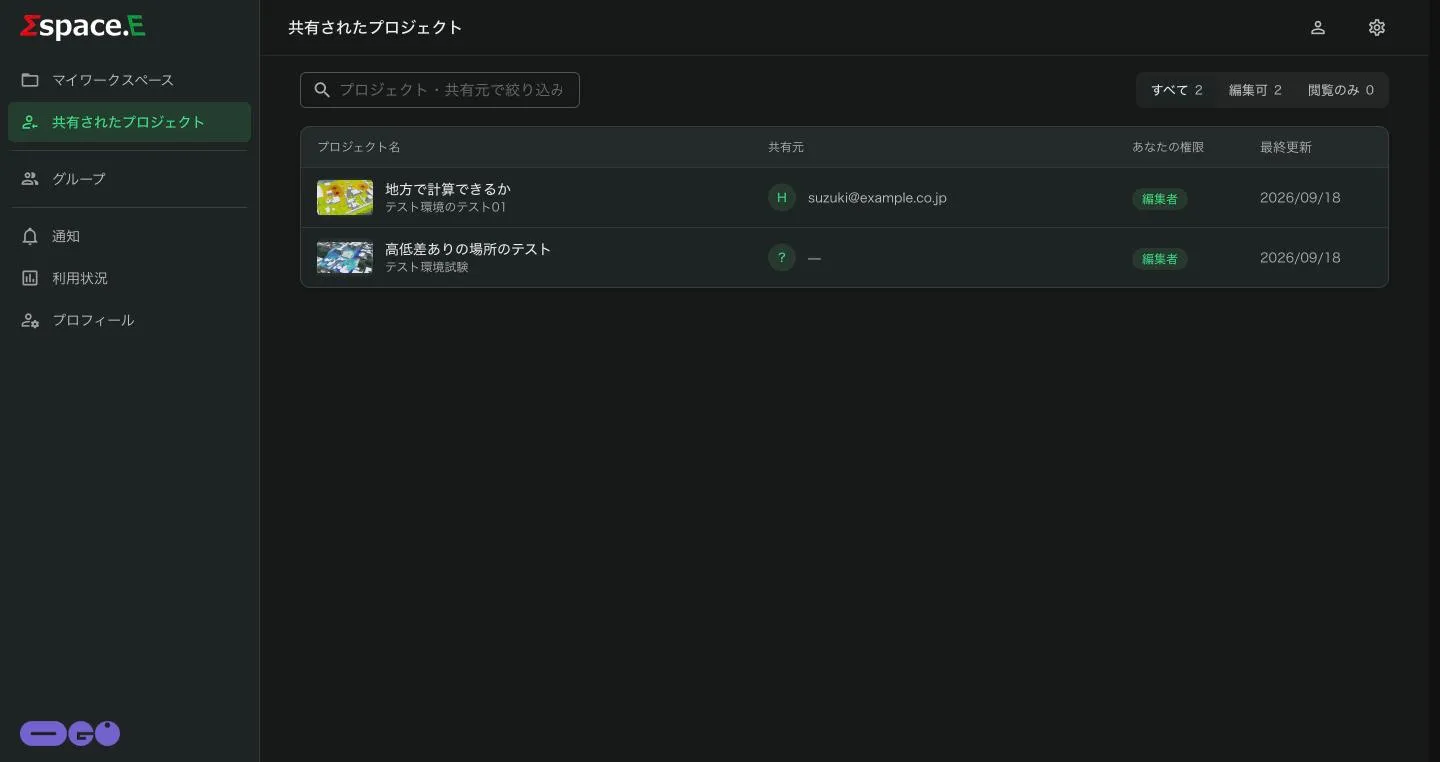
There are two ways to share: give members with an account an editing or viewing role, or publish a link that shows only the results, even to people without an account.
Share with members
In the project details panel (Workspaces and projects), press メンバーと共有 and enter the person's email and role. Change a member's role from the menu beside their name.
Recipients see the project under 共有されたプロジェクト, filterable by すべて (all), 編集可 (can edit) and 閲覧のみ (view only).
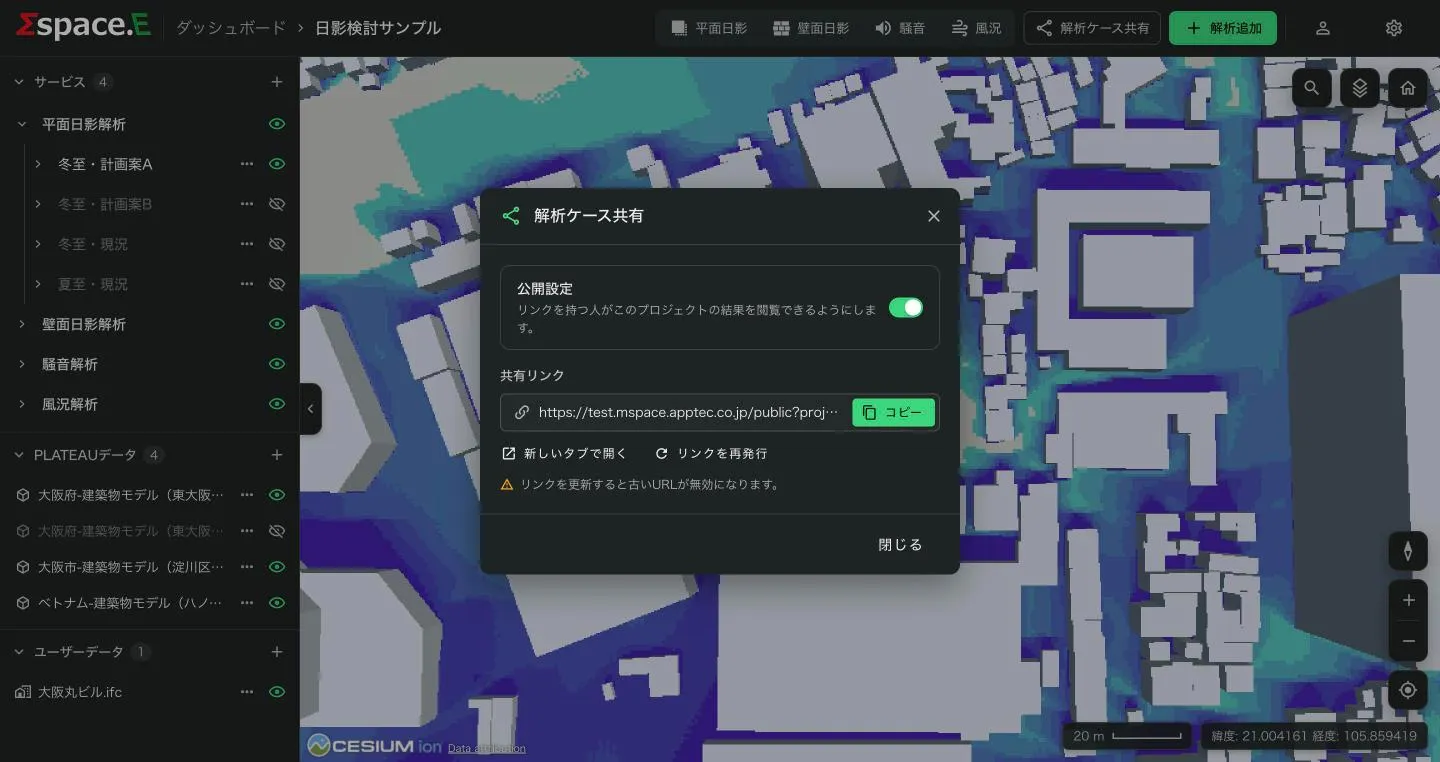
Show with a public link
- Press 解析ケース共有 at the top of the viewer.
- Turn on 公開設定 (Public): anyone with the link can view this project's results.
- コピー (Copy) the link, or check it with 新しいタブで開く (Open in new tab).
- Turn Public off to stop sharing. リンクを再発行 (Reissue) invalidates the old URL.